
FAQ: How to configure Outlook 2016 for Mac to access Office 365?
After you install the Office for Mac 2016 on your system, you can setup Outlook 2016 to access emails.
Procedures: (For Office 365 Mailbox)
- Open Outlook 2016 for Mac.
- From the menu bar, click Tools -> Accounts.
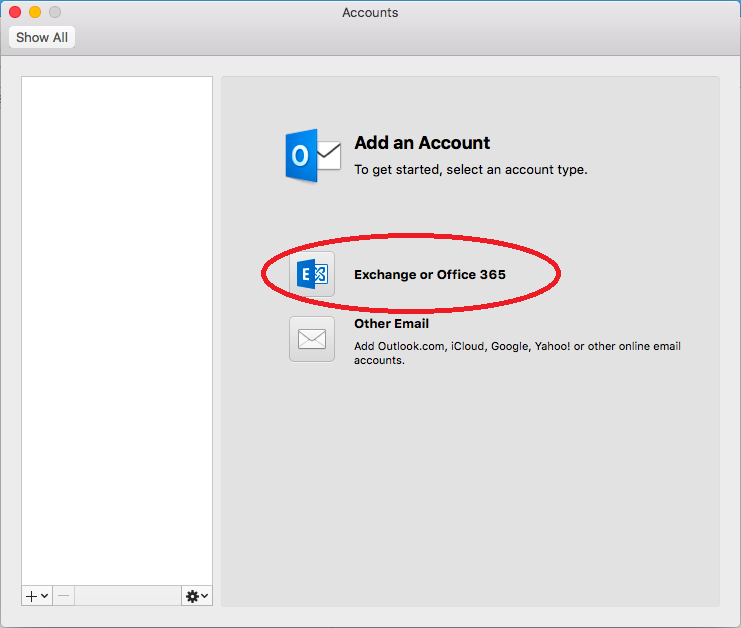
- In the Add an Account Windows, click Exchange or Office 365
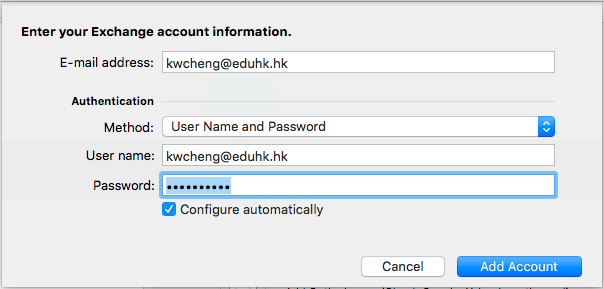
- Then enter your account information as below. Then click Add Account
- Email Address: username@eduhk.hk
- Method: Username and Password
- User name: username@eduhk.hk (Full email address)
- Then click Add Account
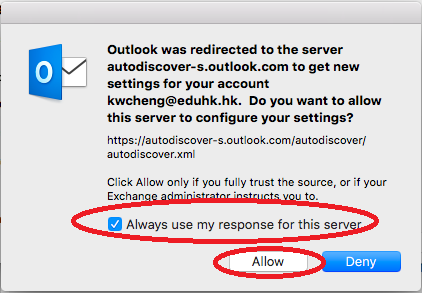
- When the following window pop-up, tick the option "Always use my response for this server". Then click Allow.
- If you need to modify the display name. You can change it from the menu bar "Outlook" -> "Preferences" -> "Accounts". Then enter your full name and close the window
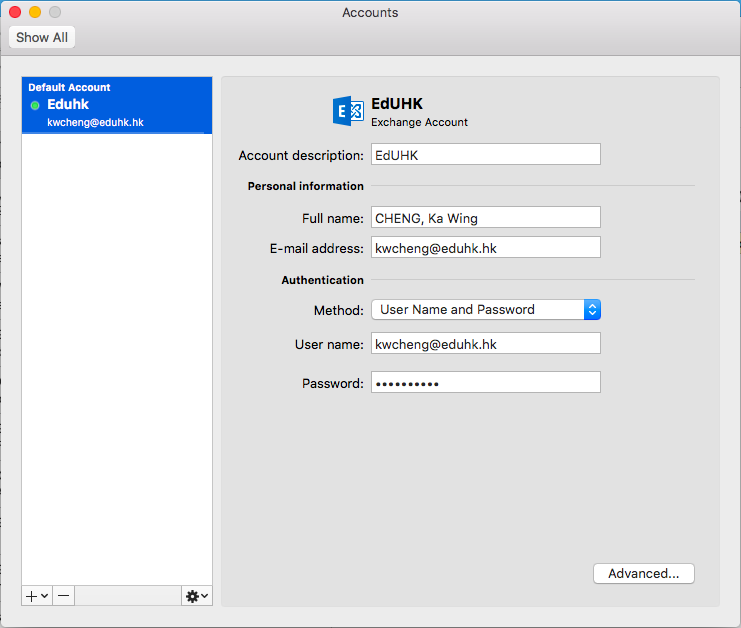
- Now the Outlook will start to download your emails.